How to refill your balance
Learn how to add funds to your account and compare payment method commissions, minimum amounts, and processing times.
You can refill your account balance from the ITLDC dashboard. We support different payment systems, so review the conditions for your selected payment method before completing the payment.
Payment method conditions
The available conditions vary by payment system. When choosing a payment method, check the following details:
- Fee: Different payment systems may charge different fees to cover processing expences.
- Minimum amount: The minimum amount you can add depends on the selected payment system.
- Processing time: Different payment systems may take different time to be processed. In most cases it takes just few minutes.
Choose a payment system whose commission, minimum amount, and processing time meet your needs. If you need the funds by a specific date, allow enough time for the selected payment to be processed.
Refill your balance
-
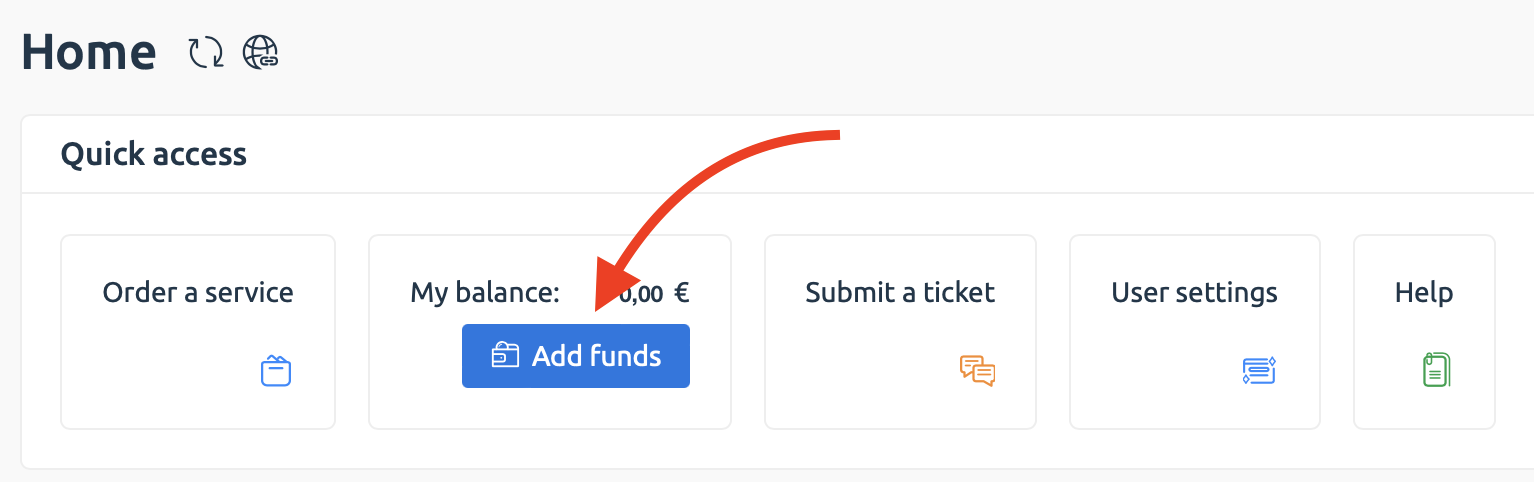
In the ITLDC dashboard, click the amount displayed next to Balance, or click Add funds.

-
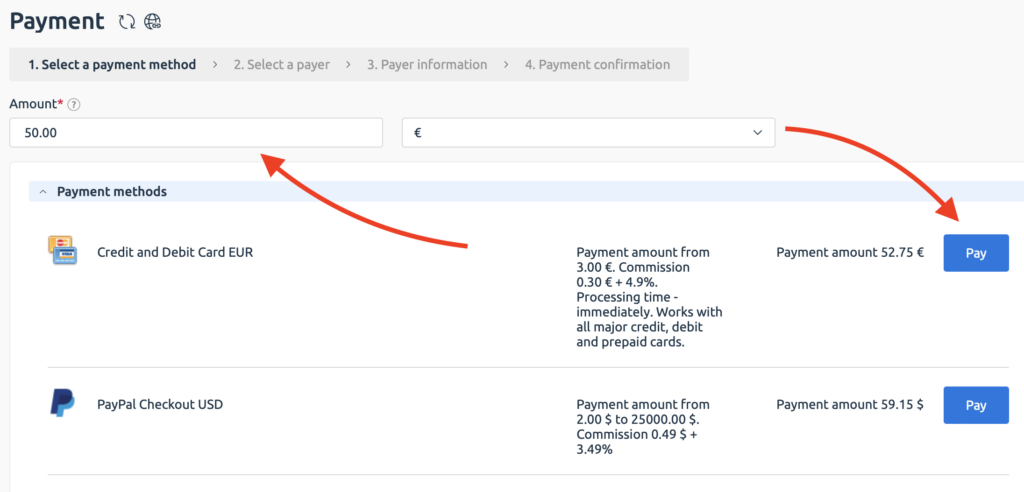
Enter the amount you want to add and select the currency.
-
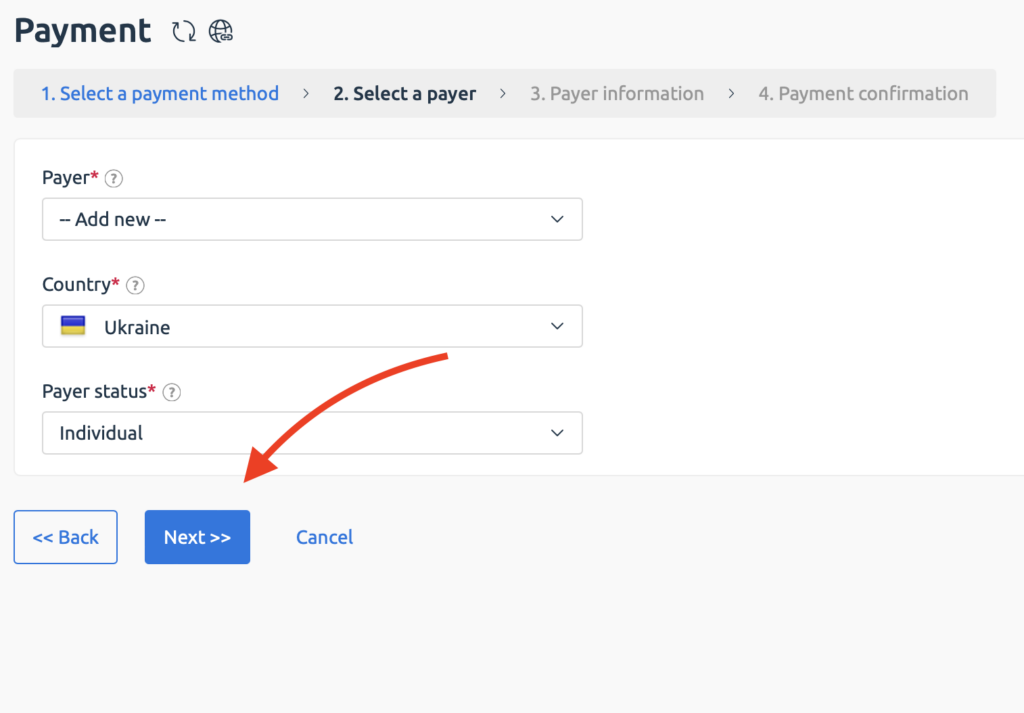
Select an existing payer or create a new one.
-
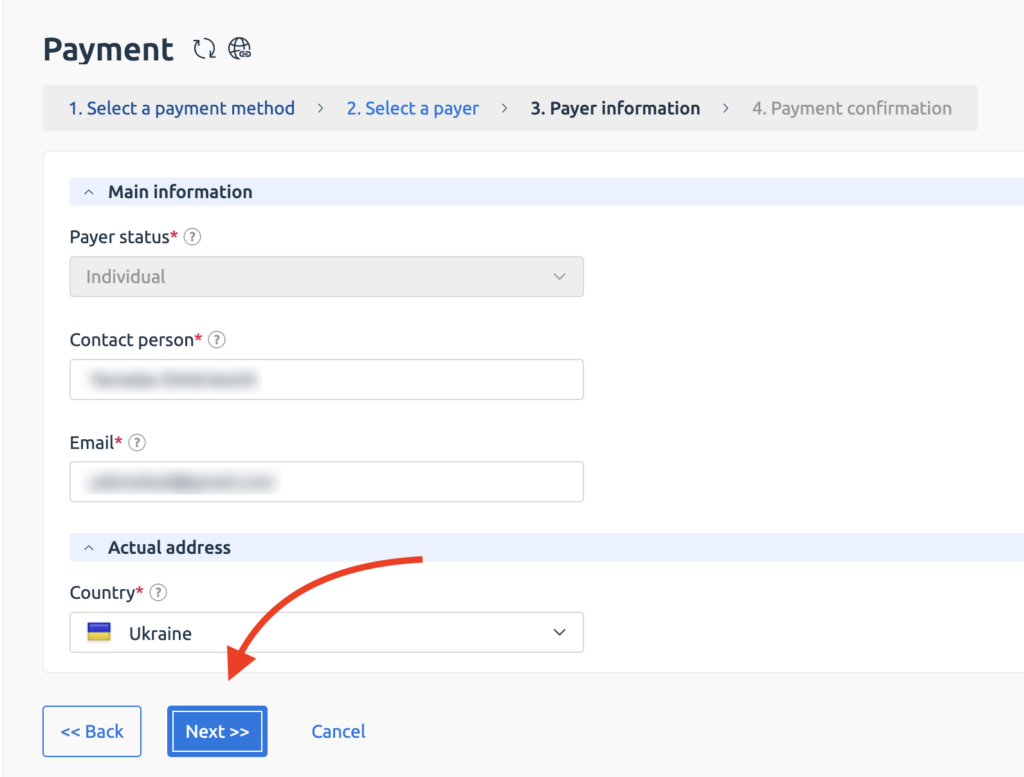
If you create a new payer, enter the requested name, email address, and country.
-
Click Next, select a payment system, and review the payment details. Check the commission, minimum amount, and expected processing time shown for the selected payment system before clicking Pay.
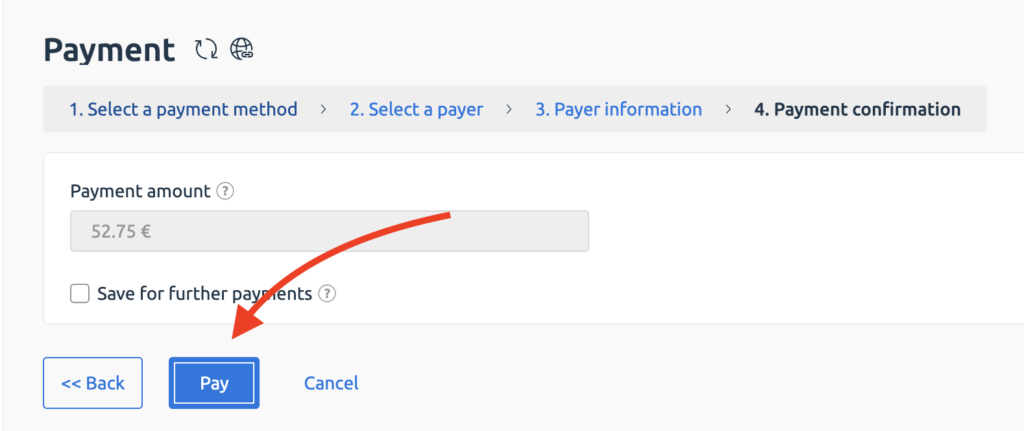
Your balance will be updated after the payment has been processed. The time required can vary from a few minutes to several business days, depending on the payment system.
If the balance is not updated after the stated processing period, contact ITLDC support and provide the relevant payment details.